


This discussion is a moderately
detailed description of IBM Standard Label, ANSI Standard Label, and Unlabeled
formats on 9-track, IBM 3480, 3490, 3570, 3590, and 3592 tape, and StorageTek 9840 and 9940. It also applies to other media,
such as LTO and DLT tapes. It discusses
both the physical recording characteristics of the media and three common logical tape formats.
Topic index:
Physical Recording Issues
Logical Recording Issues
Data Issues
A mainframe-style tape format can be written to any media that supports variable block mode. (Allows differing block sizes to be written to the tape.) This includes 4mm, 8mm, AIT, LTO, DLT and TK, some QIC, and others, but the most common are 9-track tapes, 3480/3490/3490E tapes, 3570, 3590, and 3592 tapes. 4mm, 8mm, and AIT are helical scan tapes, and their physical recording methods are different, but logically they appear the same as a linear tape, and they support variable block sizes just like a linear tape. This page only discusses the common mainframe tapes, 9-track, IBM 3480/3490, 3490E, 3570, 3590, 3592, and StorageTek 9840 and 9940 in detail, but other tapes can contain mainframe formats.
9-track tapes:

9-track tapes are half-inch tape spooled on a large, open, reel. See the picture to the right. This tape is recorded with 9 tracks across the width of the tape; 8 of the tracks form one byte of data, and the 9th track records a parity bit (an error checking bit). There are four recording densities: 800, 1600, 3200, and 6250 BPI (bits per inch). Each of these densities uses a different recording method. Because there is one byte of data recorded across the width of the tape, the linear byte density is equal to the bit density (although there is overhead in the CRC and gaps). i.e., a 1600 BPI (bits per inch) tape records 1600 bytes per inch of tape.
9-track tapes come in three common sizes, 600', 1200', and 2400', but are also available in 100', 300', and 3600' tapes. The block size has a great effect on the amount of data a 9-track tape will hold. With a large block size, 1600 BPI 2400' tapes hold up to 42 MB, and 6250 BPI 2400' tapes hold up to 160 MB. 9-track drives never compress the data before writing it to tape.
3480, 3490, 3490E tapes:

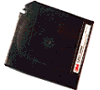
3480 tapes are also half inch tape, inside a hard, protective case that is about 4" x 5" and 1" thick. See the picture to the right. When inserted into the drive the tape leader is pulled out of the case and wound onto a take-up spool inside the drive. By putting the take-up reel inside the drive, the cartridge is kept small. The standard 3480 contains between 575 and 656 feet of tape, recorded with 18 tracks across the tape. As with 9-track tapes, the block size determines the recording capacity, but 210 MB is the stated capacity with large blocks. 3480 tapes are intended by IBM to be a replacement for 9-track tape, and as such are usually found on similar computer equipment, and are recorded in similar ways as 9-track. 3480 drives do not compress the data before writing it to tape.
3490 is 3480 with IDRC (Improved Data Recording Capability) compression. The media and number of tracks are the same as 3480. The drive compresses the data before writing it to the tape. The compression ratio depends greatly on the data content, but 2:1 is considered typical, so these tapes are usually considered to hold about 400 MB. Some binary files may not compress at all, but we have also seen over 1800 MB on a 3490 tape (9:1 compression).
Despite the name similarity to 3490, the 3490E tape format is quite different. It is recorded with 36 tracks across the tape, not 18 as in 3490, and uses thinner and longer 1100 foot media. Like the 3490, it uses IDRC data compression for a typical capacity of 1600 to 2400 MB per tape. 3490E media can be identified by the dual-color case, usually black on the top and cream color on the bottom.
Most 3490E drives can read 3480 and 3490 tapes, but can't write them, because of the thinner recording heads for the 36 tracks. However, Overland Data's 3490E drives can write 3480 & 3490, and these are re-marketed under DEC and IBM brand names.
3480 media was not originally intended to be used in 3490E drives, so it was not certified (tested) for 36 tracks. Because a 36 track drive writes to untested areas of an 18 track tape, the error rate can be excessive if you use an 18 track tape in a 36 track drive. But it happens so frequently, that recently manufactured 3480 media is certified for use in 3490E drives. Notice, however, that the 3480 media is shorter than the 3490E media, so it has less capacity even when written with 36 tracks.
We strongly discourage the use of a 3480 tape in a 3490E drive. There is no way to know if a particular tape was certified for 36 track use, and we have seen many 3480 tapes recorded in 36 track mode that were just not readable.
If the recording density isn't marked on the outside label by the operator who wrote the tape, there is generally no way to tell if one of these tapes is recorded in 3480, 3490, or 3490E density without trying the tape in a drive. While a 3480 tape is likely to be recorded in any of the three formats, it's very unlikely a 3490E tape would be recorded in 18 track mode, as that is not a valid combination.
3570 tapes:

IBM 3570 tapes are center-load, fast access, moderate performance tapes encased in an elongated cassette. See the picture to the right. Unlike the 3480 tapes, the 3570 has two spools in the cartridge, and the media never leaves the cartridge housing.
There are two different drives, 3570B and 3570C, and three tapes, 3570B, 3570C, and 3570CXL (extra length). 3570 B and C tapes have the same capacity, but different data transfer rates, and work in the "B" and "C" model drives, respectively. 3570 CXL is an extra length tape for the model "C" drive only. 3570 B and C tapes have a native capacity of 5 GB and a compressed capacity of about 15 GB. 3570 CXL has a native capacity of 7 GB, and about 21 GB with 3:1 compression.
3590 tapes:

IBM's 3590 tape is similar to 3480. The half-inch tape is contained in a cartridge the same size as a 3480, but the tape itself is very different. There are three drives: 3590B, 3590E, and 3590H. All the drives use the same media, and the tapes come in two lengths, the standard length J tape and the extended length K tape. Some early B and E drives won't accept the K tapes. 3590 tapes cannot be read in a 3480/3490/3490E drive, and a 3590 drive cannot read 3480/3490/3490E tapes.
The 3590B drive writes 128 tracks, 32 tracks at a time, in a serpentine pattern, and has an uncompressed capacity of 10 GB on a J tape or 20 GB on a K tape, and a typical compressed capacity of 20 or 60 GB, although we've seen 150 GB on one J tape.
The 3590E drive writes 256 tracks, for double the capacity of the B drive.
The 3590H drive writes 384 tracks across the tape, again using the same media as the 3590B and E models. The 3590H has a capacity of 30 to 180 GB, depending on tape length and compression.
3592 tapes:

IBM's 3592 is the drive that replaces the 3590 series of drives. The tape is the same overall size as a 3590 tape, but the cartridge design is slightly different. 3592 tapes cannot be read in 3590 drives, nor can 3590 tapes be read in a 3592 drive. There are currently (2013) four models of 3592 drives: 3592-J1A, 3592-E05 (TS1120), 3592-E06 (TS1130), and 3592-E07 (TS1140). Capacity ranges from 300 GB to 4 TB per cartridge. There are several combinations of drives and media; see our 3592 media page for more information.
9840 & 9940 tapes:
StorageTek 9840 and 9940 tapes are competing products to IBM's 3590 and 3592 drives. The
9840 is a fast access center-load tape, and the 9940 is a high capacity tape. There are several models in each line,
with differing capacity and performance.
Data is normally recorded in tape "blocks". A block is some number of bytes which are recorded on the tape in a single group. When you read-from or write-to a tape, you do so a block at a time. By convention, a block is usually some logical grouping of data, usually some integral number of records. The terminology "record length 80, blocked 10" means the logical records are 80 bytes, and they are recorded 10 records to a tape block. Therefore the block size is 800 bytes.
Most tape drives have an upper limit on the block size they can handle, and some have a minimum block size. Nearly all drives can accept up to 32K bytes per block, with 64K being common. Newer drives like the 3590 are capable of larger block sizes, up to 2 MB (2048 KB), but most tapes are still written with blocks of 32K or less, although the trend is towards using larger blocks for speed and efficiency.
Each block contains CRC (cyclic redundancy check) bytes after the data. These CRC bytes are error detection and correction data which allow the tape drive to read data from a tape which contains some "dropout", or lost bits, and correct for the missing bits. Without these CRC bytes most tapes would not be readable with 100% accuracy. Error correction methods vary greatly between different tapes.
Each block is followed by a "gap" (basically unrecorded tape) to separate it from the next block. A group of blocks comprise a tape "file" (usually comparable to a disk file), and each tape file is followed by a "file mark" (also called a "tape mark"), which is a special magnetic pattern recorded on the tape to denote the end of a file. By convention, two file marks in a row denote the end of recorded data, or logical EOT (end-of-tape), on 9-track tapes, and on some newer tapes. Most newer drives, however, utilize a special magnetic pattern called EOD (End Of Data) to mark the end of data on the tape. Those drives generally don't use the two file mark convention.
There was a period of confusion when IBM changed over from the two file mark convention to the special EOD signal. The early 3480 drives replaced existing 9-track drives in most installations, and as such were treated as 9-track drives, including writing the two file marks at the end of tape. We have even seen 3480 tapes marked with 9-track densities (1600 or 6250 BPI), even though 3480 tapes are never recorded at such densities. If a 3480 tape is written as a 9-track with two file marks at the end of the tape but no EOD mark, the 3480 drive will assume there is more data on the tape (since it didn't see an EOD mark), and continue trying to read the tape, resulting in an error. We have seen this on hundreds of tapes, and we can handle either convention.
The gaps use a significant amount of tape, 0.3" or 0.6" per gap on 9-track tape, for example. So the block size, and hence the number of gaps, determines the amount of data you can fit on a 9-track or 3480 tape. If you make the blocks large, say around 16KB per block, you can fit more data on a tape. To demonstrate how much of a difference the block size makes in the capacity of a tape, a 2400' 1600 BPI 9-track tape with a block size of 80 bytes only holds about 3.5 MB, compared to 41 MB with an 8000 byte block size. So, if you record one 80 byte record per block the tape will hold about 44,000 records, but if you record 100 records per block the tape will hold over 500,000 records.
To increase tape capacity and minimize the wasted space in the gaps between blocks,
the newer drives, beginning with the 3490 and including the 3590 and 3592 series (and other brands), combine multiple
logical blocks into one larger physical block on the tape. This is done internally to the drive and is transparent to the computer and operator.
The drive still accepts and returns logical blocks as the 9-track tapes do. There are different
algorithms used. This subject is beyond the scope of this article, but we thought we should mention
it to be complete.
We now turn our attention from the physical recording of blocks on the tape to the logical recording of data within those blocks.
We now have a method to record blocks of data on a tape, but how should we fit our data file into those tape blocks? We could pick a size for a tape block, say a nice round binary number like 512 bytes, and write our file to tape in 512 byte chunks. In fact, this is a common recording scheme. But what if we have a file with 250 byte records to write to tape?. The first 512 byte block will hold two records and 12 bytes of the third record. The second tape block will contain the remaining 238 bytes of the third record, plus the entire fourth record, plus 24 bytes of the fifth record. The third tape block contains the rest of the fifth record, then entire sixth record, and 36 bytes of the seventh. As you can see, this gets messy, especially at the end of the file or tape. (Some tape drives do work this way, though.)
A better method for typical mainframe data is to make the size of the tape block some multiple of the record size, say 10. Then exactly 10 records fit in the first block, 10 in the second, and so on. This is the method most often used for mainframe tapes, in two variations: "fixed-block" and "variable-block".
Fixed Block
Most data on mainframe systems is stored in fixed length records . When writing these records to a tape, the operator normally specifies a block size that is some multiple of the record size, such as 10, 20 or 100 records per block. This results in a tape where all the blocks except the last are of the same size (fixed block). The last block is often a "short block" because there are not enough records remaining to fill another complete block. For example, a file of 93 records of length 250, which is "blocked 10" (meaning 10 records per block), will have 9 blocks of 2500 bytes (10 x 250), and one short block of 750 bytes (3 x 250). The last block is usually permitted to be shorter than the others, so it can contain only the remaining records. However, some systems or operators will pad the last block with dummy data (usually spaces or 9s) to make it the same size as the other blocks.
Notice that the term "fixed block" when used to describe mainframe tapes does not mean the blocks can only be one certain size, constrained by the drive; rather it means the blocks are all the same size. The size of these blocks can be anything within the drive limits, for example anything between 1 byte and 32,768 bytes. Furthermore, each tape file can use a different block size. (There are some kinds of tape drives, notable QIC drives, that are constrained to writing blocks of only 512 bytes, and these drives are often called "fixed block mode" drives. This is a different issue than fixed-block mainframe tapes.)
Variable Block
This generic term means writing data of variable length records to a tape with variable length blocks. There are several methods to do this, but these three are common:
IBM Variable Block
This is a standard method specified by IBM. Each record varies in size and is prefixed by a 4 byte binary length code, called a "Record Descriptor Word" (RDW), giving its size (including the 4 byte RDW). The tape blocks will be of variable size, and will also begin with a four byte length code, called a "Block Descriptor Word" (BDW), giving the size of the block (including the 4 byte BDW). The operator specifies the maximum allowed block size. Records are then assembled in memory until no more can fit in the block without overflowing the maximum size. The size of the block is then calculated from the total of all the records plus the 4 bytes for the BDW (block length code). The system then writes the BDW, plus all the records, to a tape block.
The tape block is then composed of a 4 byte BDW (block size code), followed by several records, each of which is preceded by a RDW (record length code). This method allows you to write records of varying size to tape without spanning blocks. To retrieve the records you reverse the process.
PC (UNIX, Windows, Macintosh) applications normally can't understand this format, so when we convert a variable-block tape, we remove the BDW and RDW and convert the data to a PC file format, typically records delimited with a line-feed, carriage-return, or carriage-return / line-feed pair.
ANSI Variable Block:
This is similar to the IBM VB format, but the length codes and a few other things are different.
ANSI calles the record length code a "Record Control Word" (RCW), and the block length code a "Block Control Word" (BCW). These length codes are written as ASCII numeric characters, as opposed to the IBM RDW and BDW which are written in binary format.
Blocks of Varying Size
This method simply writes the raw records to the tape in blocks of various lengths. Usually each block contains one record, so the size of the block is the size of that record. You can reconstruct the variable length records when reading the tape by inspecting the size of the tape block each record came from.
Undefined Format
One of the standard IBM and ANSI tape types is an "undefined" format. This allows you to write anythingto a labeled tape. There is no requirement for any kind of structure to the data, as there is in FB and VB tapes. Undefined format is generally used to write unstructured data to a tape. AS-400 "Save" tapes are written this way.
A "Labeled tape" refers to magnetic "labels" written to the tape, not to paper labels applied to the tape reel.
Unlabeled Tape:
This is a method of writing a tape where only the raw data file is written to the tape; it has no labels or other overhead on the tape -- only the raw data. The tape may be fixed block or variable block, but most are fixed block. The data may be in EBCDIC, ASCII, or binary.
If you inspect an unlabeled tape you will just find block after block of your data file, and nothing else. As such, there is no information recorded on the tape to denote the file name or anything about the file; all that information is passed on the paper label on the reel, or other documentation. If the tape contains multiple files, the order of the files and their record and block sizes will have to be listed on separate documentation.
Labeled Tapes
To overcome the lack of information on unlabeled tapes, "Labeled tape" was invented.
IBM Standard Label (SL)
The user's data is written in the same manner as an unlabeled tape, but each data file on tape has a "header label" written before it, and a "trailer label" written after it. Each of these labels is actually a small file written to the tape in a very specific format, containing information about the data file it is associated with. Among other things, these labels contain the DSN (Data Set Name, or file name) of the tape file, the record length, block length, creation and expiration dates, and the format of the file (fixed, variable, or undefined). If a file spans multiple tapes these labels indicate that, and also the file segment on the current tape. IBM Standard Labels are recorded in EBCDIC, and the data file should also be in EBCDIC. The beginning of each tape also contains a "volume label".
The DSN (Data Set Name - the file name) is up to 17 characters in length, and is the right 17 characters of the disk file name, including the separators (periods) in the disk file name. If the disk file name is over 17 characters, the left-most characters are lost.
ANSI Standard Labels
These are very similar to
IBM SL tapes, but both the label and the data are in ASCII. There are some
differences in the labels and file handling, especially for multi-volume tapes,
but that's beyond the scope of this discussion.
All of the above result in many format combinations, but the most common are:
While it's "legal" to mix character
sets, for example to write an ASCII data file to an IBM SL tape, it's not
advised, and some systems will have trouble reading such a tape.
Binary data is, however, perfectly valid.
Least we leave you with the impression these are the only tape formats, they are certainly not; there are many other kinds of logical recording formats. However, the description above about Physical recording issues does pertain to all tapes.
Many tapes, such as UNIX tar and cpio, and most backup formats, will combine all the disk files into one big tape file. There can be thousands of disk files in one tape file. Such programs will commonly write tape blocks of some binary multiple (512 or 10,240 bytes, etc.) because that's usually faster. There will be a file mark (tape mark) only at the end of the big tape file. If you inspect the tape you will find only one file, written to blocks of the same size throughout the tape.
There are several ways of storing the disk files in the tape file. One common method is to store information about the file (name, size, date, etc.) immediately followed by the file, then to repeat this for each file. Another method is to store a table-of-contents (TOC) at the beginning of the tape, with all the files listed in the TOC, along with a pointer to where the file is located on the tape. There are many variations on this method.
There are some other interesting
formats: DEC VMS Backup wraps all the disk files up into one big "saveset",
but then writes that saveset to a standard label fixed-block tape.
The tape labels are normal, but only VMS Backup can understand the contents
of the saveset and extract the individual disk files. Likewise, IBM OS-400 writes
an entire library or "object" (folder) to a tape that has standard IBM
labels, but in Undefined (U) format. Only another AS-400 can understand the
format.
This concludes the discussion about how you write to tape, but does not address what you write
to tape. See our
Technical Articles
for more information.
For more articles on data conversion, see our TechTalk Index.
Thank you for visiting our web site.
We hope this information has been useful to you.
Disc Interchange Service Company, Inc.
15 Stony Brook Road
Westford, MA 01886